Today’s overview
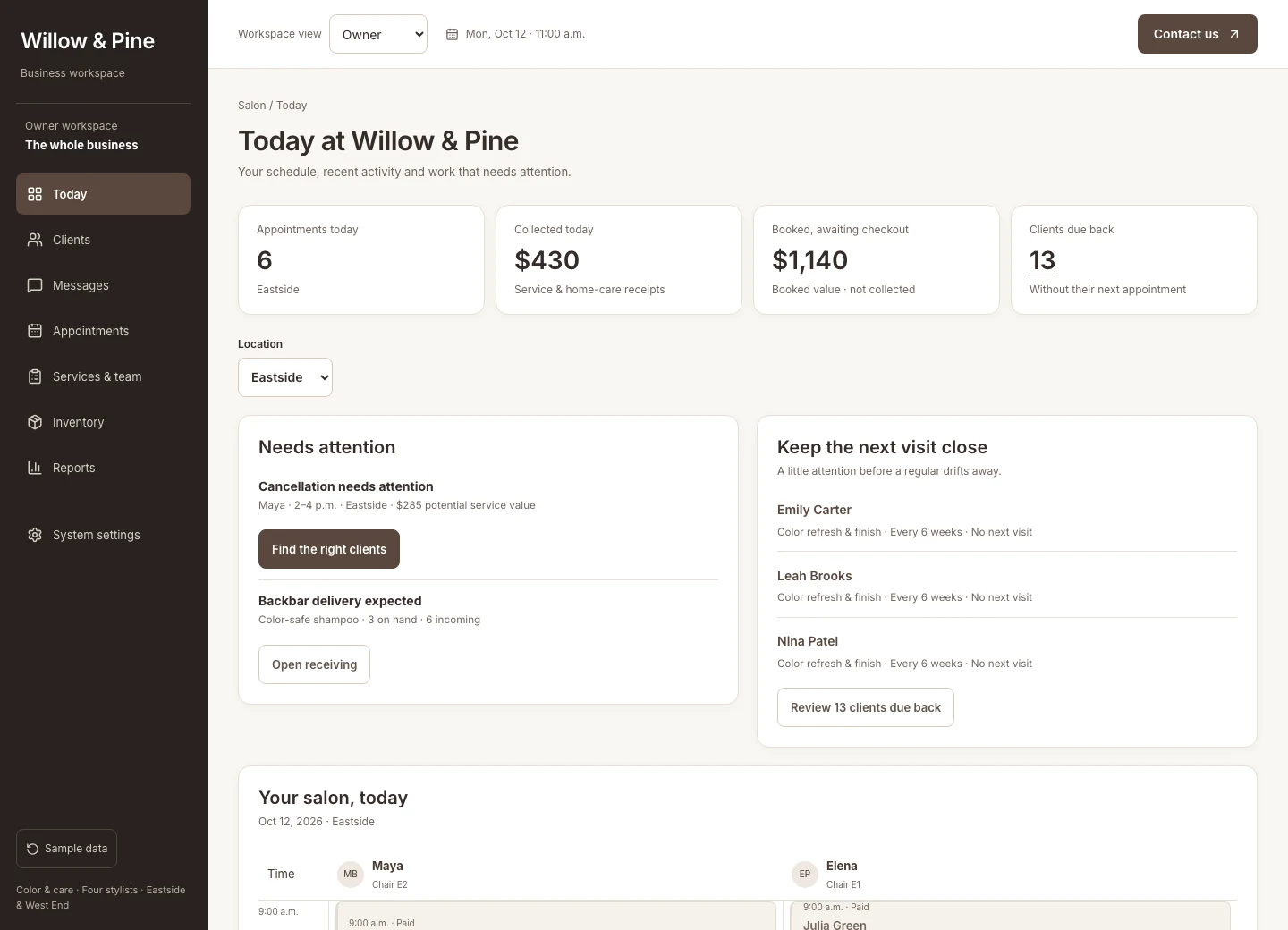
See appointments, collected sales, and issues needing attention without assembling reports.
A salon system built around you
Bookings, client history, messages, inventory, and daily performance—together in a system built around your salon.
A working example. Fictional clients. Your salon’s possibilities.
One opening. A connected response.
The schedule has a gap. Instead of working through a contact list, your front desk gets a shortlist of ten clients whose history fits the service, stylist, and time available.
Match the service, appointment length, stylist, and each client’s usual booking pattern.
Approve personal messages with a booking link. Offer the opening to suitable clients first.
The first suitable booking secures the time. The other invitations stop offering that slot.
Bring the service, timing, client history, and preparation notes into the visit.
Complete checkout and reserve the next appointment while the visit is still fresh.
This is a fictional walkthrough, not a client result. A recovered booking is booked value; it becomes collected revenue only when payment is recorded.
Beyond the appointment book
Every screen has a job: less searching, fewer handoffs, and a clearer view of what needs to happen next.
See appointments, collected sales, and issues needing attention without assembling reports.
Keep usual services, timing, prices, preferences, and visit history together. Give your team context before the client arrives.
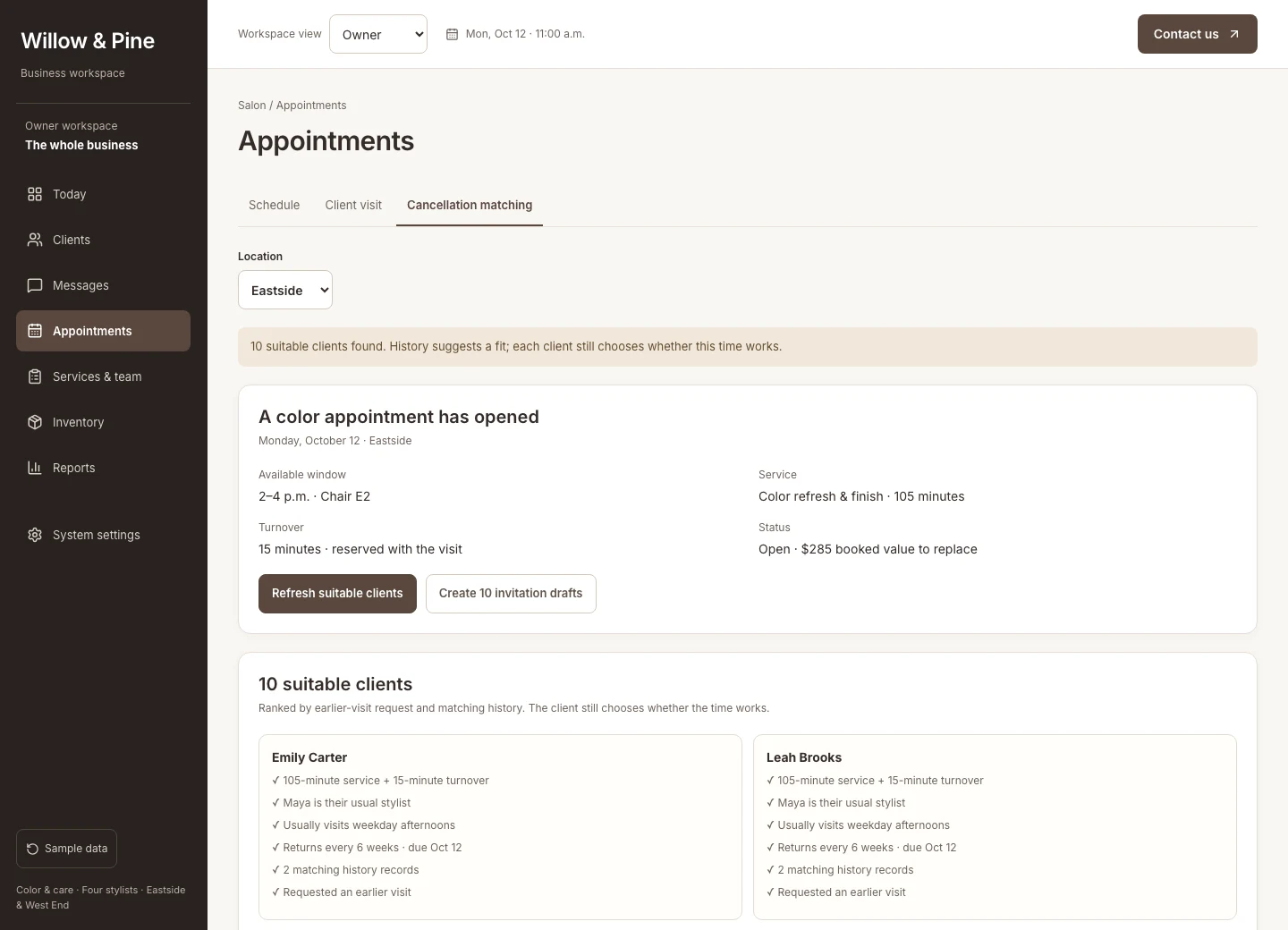
Find clients who actually fit the opening. Spend less time contacting people who need a different service or more time.
Review invitations, track replies, and stop offering a time once it is booked. Keep the conversation attached to the client.
Give the front desk and stylist the same appointment details and preparation notes. Catch missing information before the visit.
Finish the visit and reserve the client’s next suitable appointment. Keep completed work and future bookings clearly separate.
Reflect your actual staffing, service durations, and operating rules—across one salon or several locations.
Receive stock, spot shortages, and distinguish money collected from appointments booked. See the details behind the numbers.
See the work getting done
Make the opening useful
Ten suitable clients, with the booking history behind each match. Your team can see why someone fits before approving an invitation.
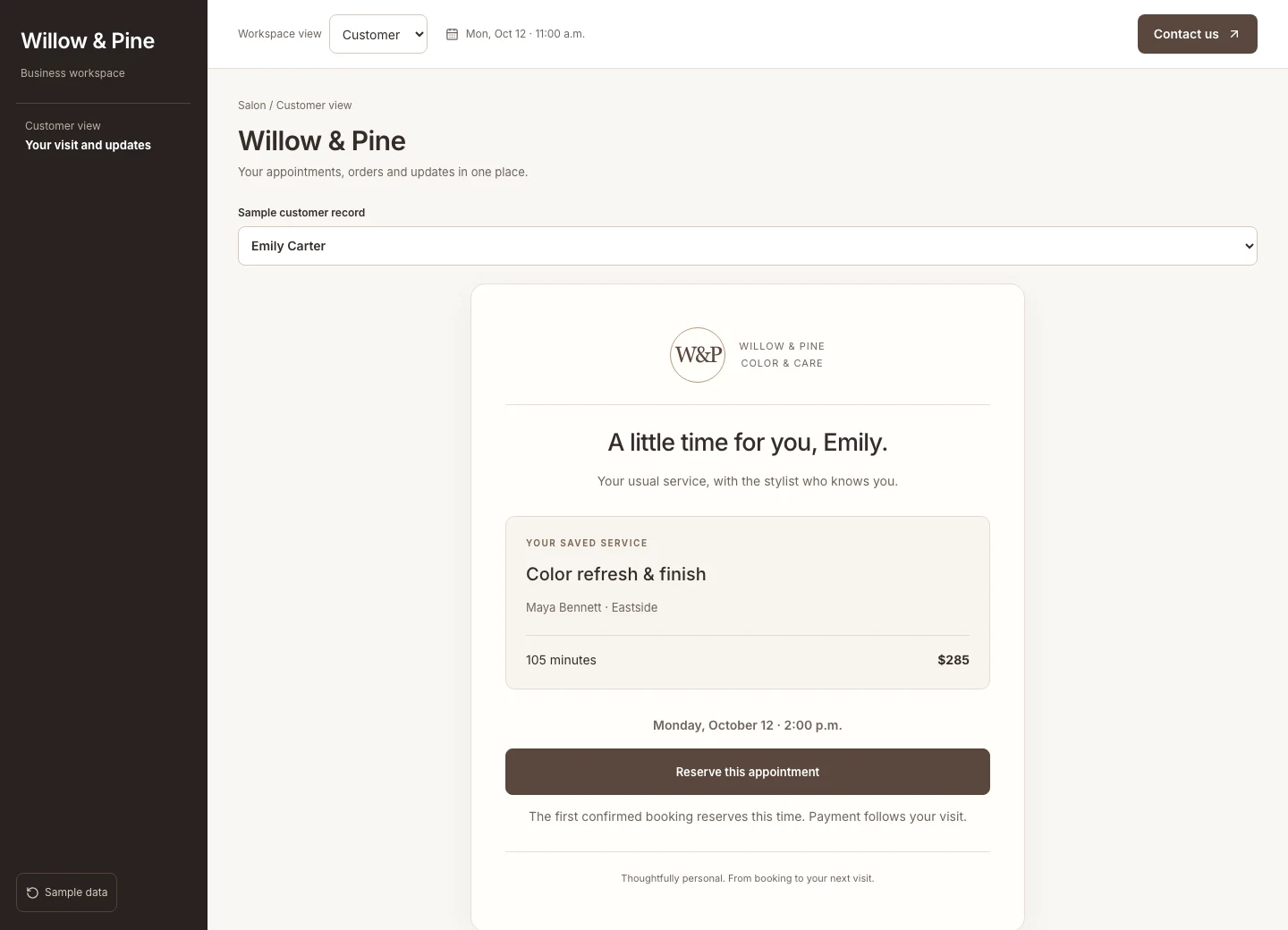
Make booking easy
The client sees the available service and time. The team sees the booking land in the schedule, with the client history ready for the stylist.
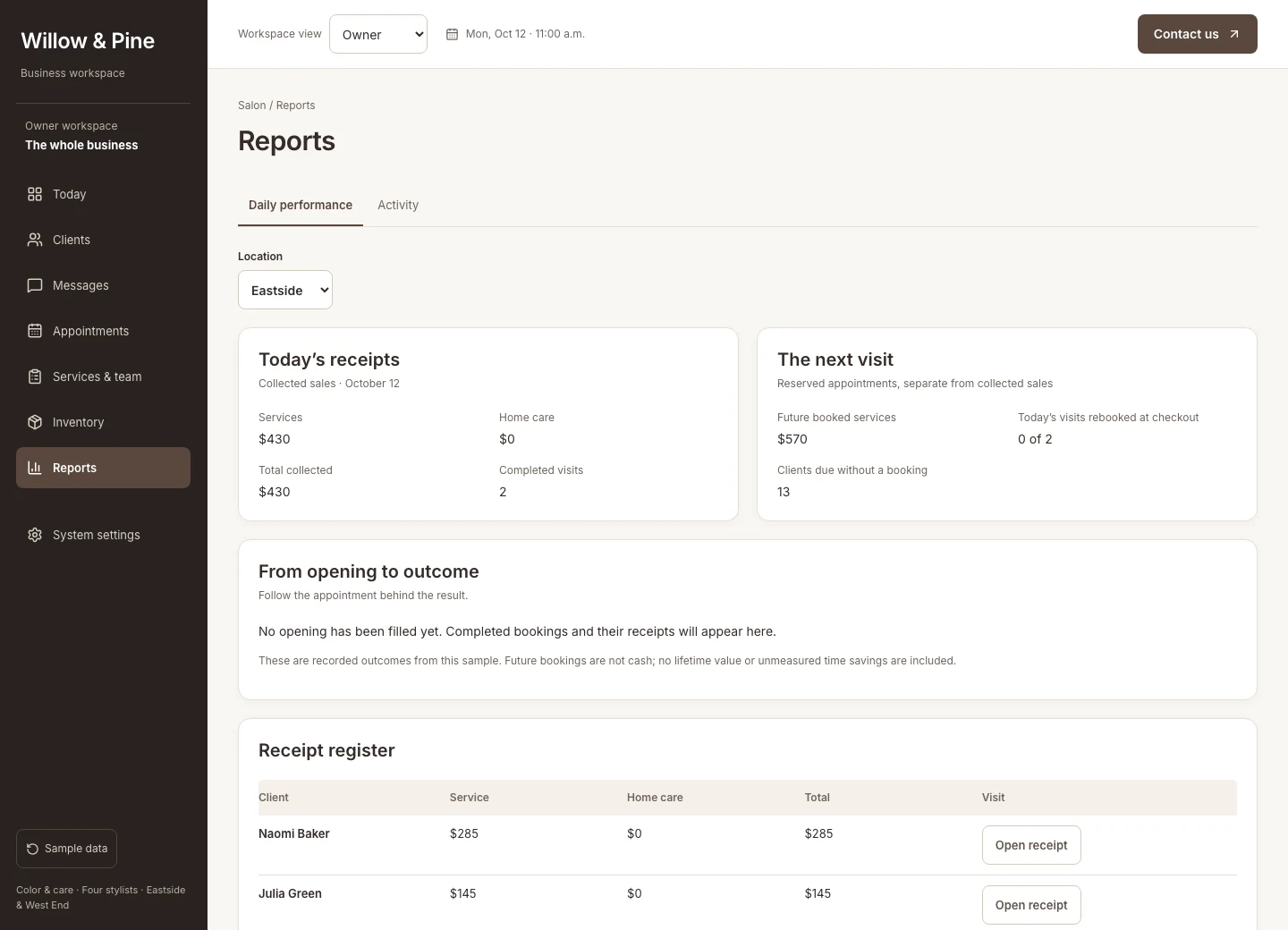
Understand the result
See collected revenue alongside future booked value, without mixing the two. Follow appointments, rebooking, and stock through the same workspace.
Built for the way you work
For established salons with busy teams, the value is in the details: how long your services take, who can perform them, what clients expect, and what the owner needs to see.
We agree your service rules, client experience, locations, reporting, and team responsibilities. We check what your existing booking, payment, and accounting tools support before deciding what to connect or build.
Walk through a real workday. Find where the team loses time and where revenue slips away.
Shape the workspace around your workflows and connect supported tools with agreed rules.
Help the team use it comfortably. Review the results and improve what matters.
Before you explore
The demo is a functioning example with fictional clients, appointments, and sales. It shows what a connected salon workspace can do; it does not present client results.
Often, yes. We start with what works, check what your providers allow us to connect, and agree what needs to be built. Connections depend on the capabilities of your tools.
Yes. Your services, staffing, client experience, locations, and reporting shape the build. This demo gives you a specific example to explore, rather than a fixed package to buy.
You go straight into the demo—no account or email verification. We receive your details and may follow up about your interest. Access is remembered in this browser for 30 days.
Picture a better workday
Start with one cancelled appointment. Then explore the system behind the whole day.