Today
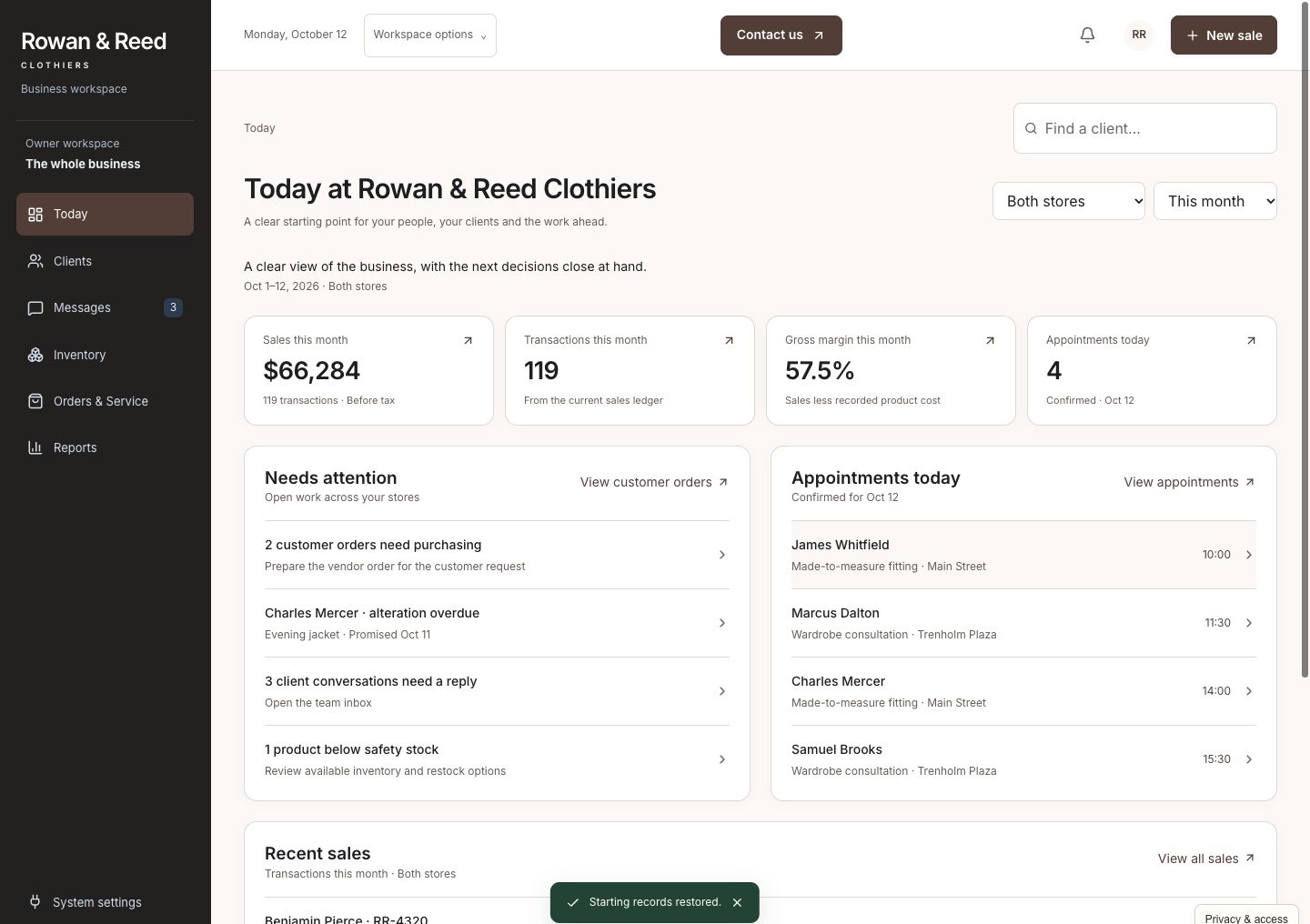
See sales, appointments, new arrivals awaiting follow-up, and customer promises needing attention. Start with the work that matters today rather than assembling a morning report.
Custom software for retailers who make service personal
Client history, stock, messages, personal shopping, fittings, and sales—together in a system built around the way your stores serve customers.
A working business. Fictional data. Built to show what’s possible.
One situation. Every next step connected.
A navy 40R sport coat reaches the store. James has been waiting for it, Robert knows his fit and style, and the team needs to move from delivery to fitting without losing the details between systems.
Record James's coat against the supplier delivery. His special order, reserved stock, and Robert's follow-up update together. The team knows which customer the arrival belongs to.
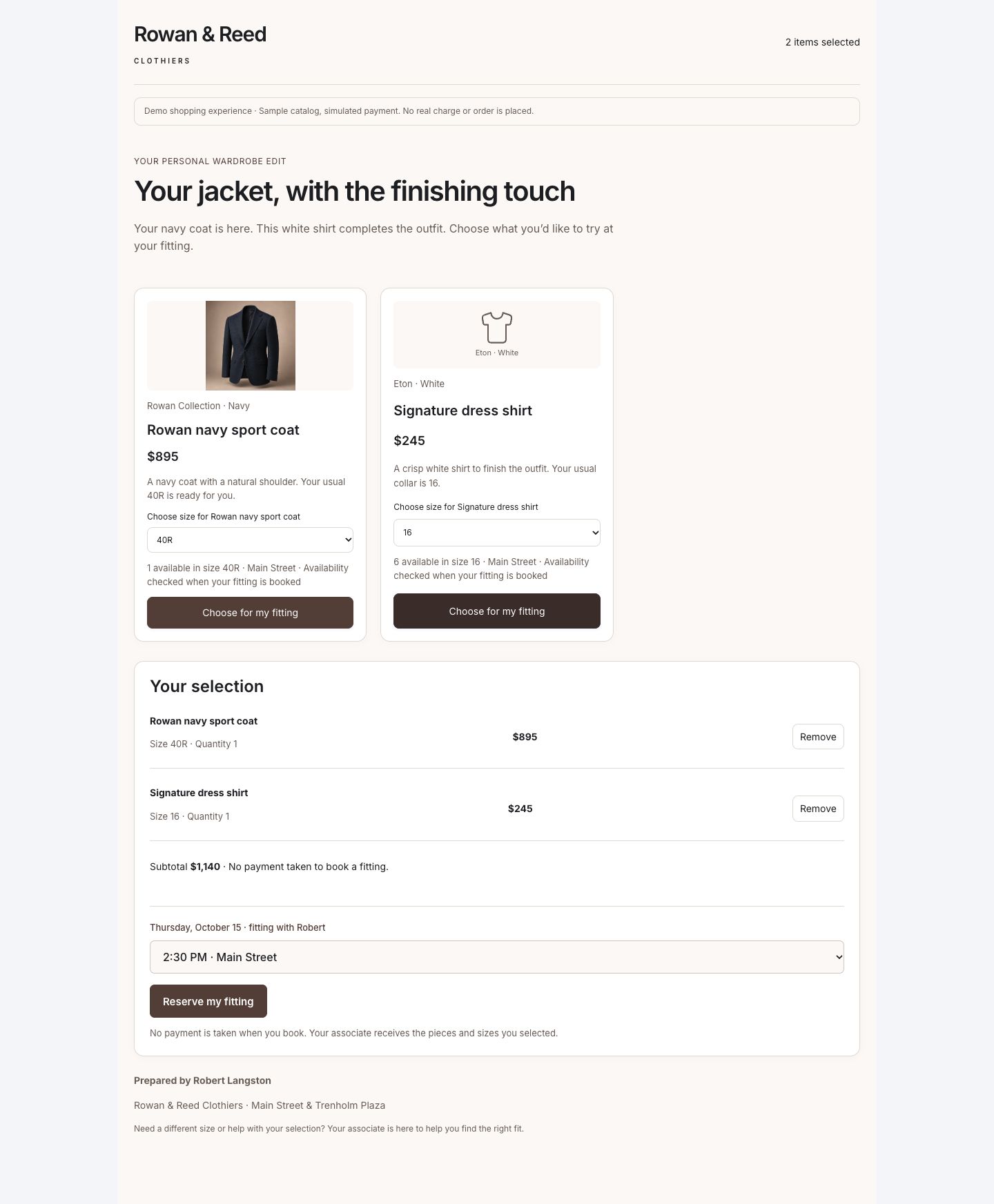
Use his usual fit, preferences, and purchase history to recommend the $895 jacket with a $245 shirt. Publish a personal shopping page James can explore, choosing the jacket alone or the full selection.
Read and edit Robert's message with the arrival and selection in view. Record the simulated invitation in the shared inbox so another colleague can pick up the conversation.
Open his personal page and choose an available appointment. His selection, stylist, special order, and preparation details stay with the booking.
Advance from the arrival on October 12 to James's October 15 fitting, complete the visit, and check out the jacket and shirt. Payment, stock, the completed order, purchase history, and salesperson credit update together.
Fictional walkthrough, not a client result. With the $895 jacket and $245 shirt selected, checkout shows a $1,140 merchandise subtotal, $91.20 in 8% sample tax, and $1,231.20 collected. A published selection or booked fitting is not collected revenue.
The whole business, together
A thoughtful sale depends on more than a contact record. Give the owner, sales floor, and stock team one connected place to see what is happening and move the next step forward.
See sales, appointments, new arrivals awaiting follow-up, and customer promises needing attention. Start with the work that matters today rather than assembling a morning report.
Keep fit, sizes, style preferences, usual stylist, and purchase history together. Find a customer or prospect, understand the relationship, and prepare a useful next conversation.
Build a selection from the store's products and prices, explain each recommendation, and publish the customer's page. Let the customer explore their pieces and arrange a fitting.
Find relevant customers for an arrival using fit, preferences, history, contact permission, and stock. Review invitations before sending and keep replies in the shared customer conversation.
See size-level availability by store, reserved pieces, supplier orders, and incoming stock. Receive a partial delivery or arrange a transfer without treating unreceived stock as ready to sell.
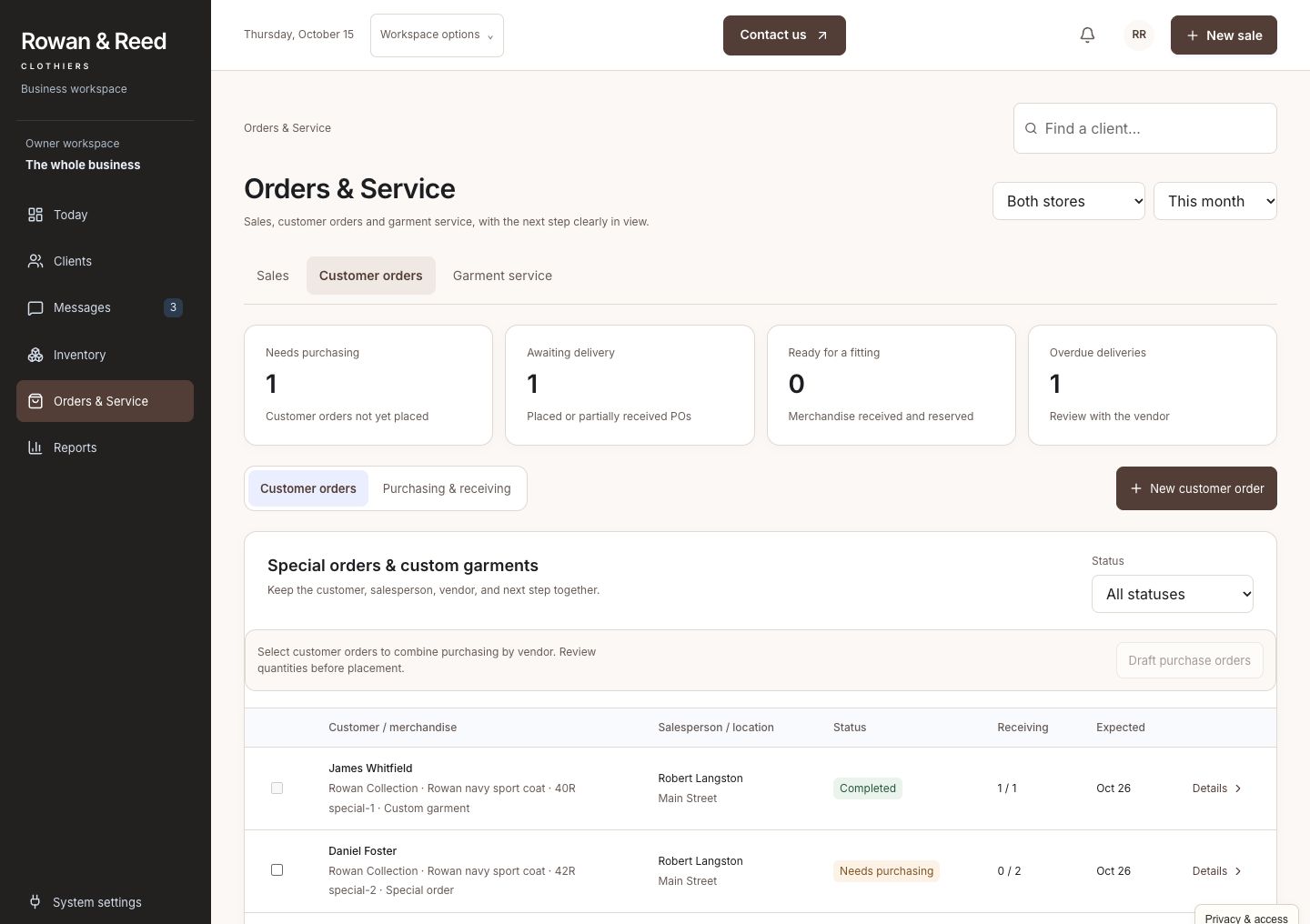
Keep a customer's requested item, fitting, alteration, due date, and responsible colleague together. A late garment or incomplete shipment stays visible until someone resolves it.
Complete the approved purchase with payment, fulfillment, and salesperson credit attached. Handle a return through the same records so stock and financial reporting reflect what actually happened.
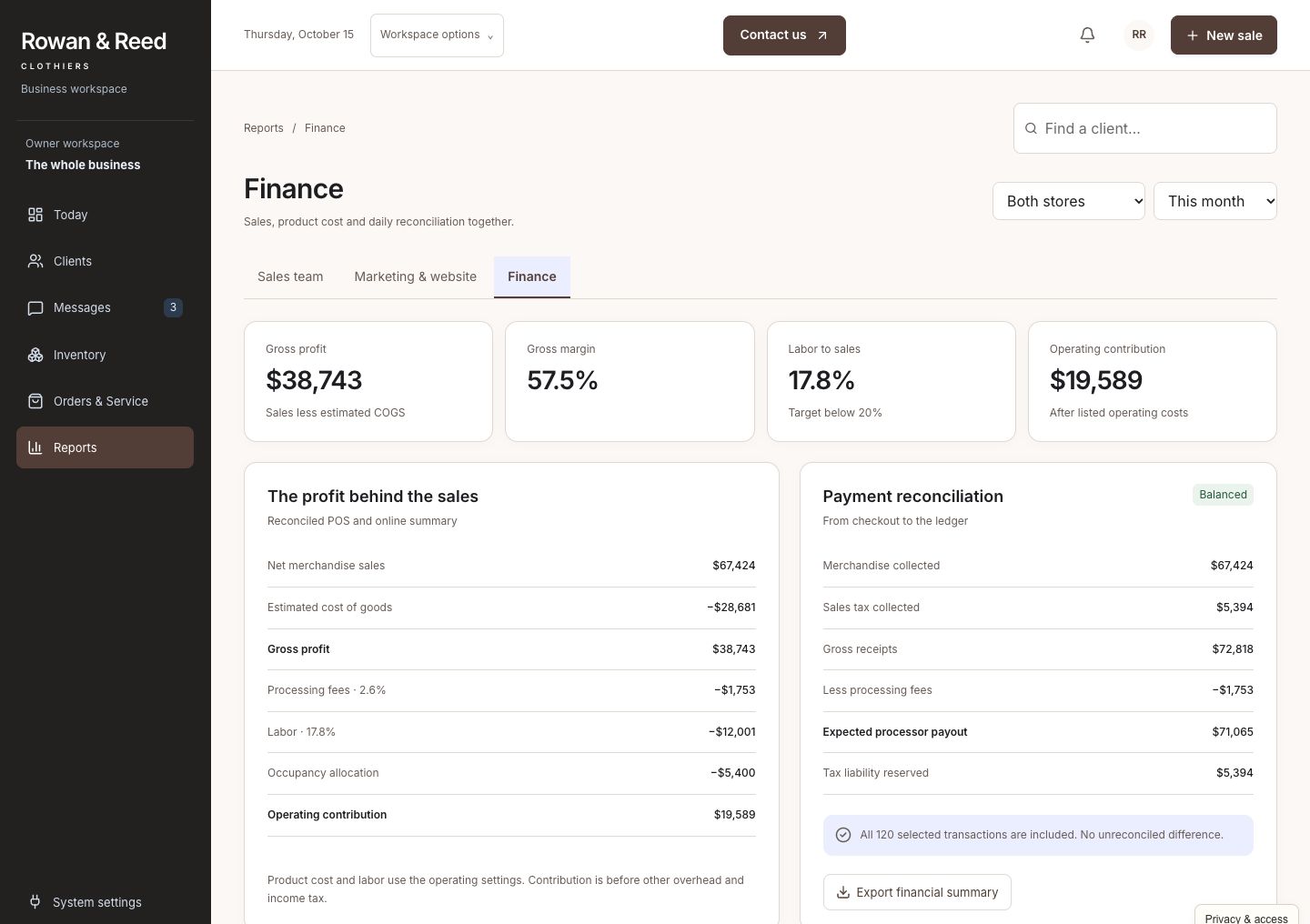
Review sales, merchandise margin, location performance, and staff attribution with the supporting transactions available. Keep an order's merchandise value separate from tax and money collected.
See the work getting done
Open any screenshot for a closer look. On a small screen, swipe across the preview.
For the customer and stylist
James sees his navy jacket and a shirt chosen to complement it, with a clear invitation to arrange a fitting. Staff prepare the selection from his actual sample profile and store products, then share one polished customer page.
For the sales floor and stock team
The jacket is more than another received item. Its special order, customer, and fitting follow-up stay together. The same workspace handles partial deliveries, reserved pieces, transfers, and garment work that needs checking before a promise is made.
For the owner
See the completed purchase alongside the records behind it: selected garments, checkout, merchandise margin, and salesperson credit. Compare stores without confusing future customer orders with money already received.
Built for the way you work
Rowan & Reed is a fictional two-store clothing retailer with personal service, special orders, and fittings. It is a specific example of how the system can fit a business, not a fixed retail package every store has to adopt.
Yours can reflect your products, size and variant rules, client experience, service promises, locations, staff responsibilities, commission rules, and reporting. We focus on established retailers whose teams need more consistency as the business gets busier.
We review your existing point-of-sale, ecommerce, inventory, payments, and accounting systems before agreeing what to connect or build. Supported integrations and the actions that need staff review are part of your custom implementation.
Walk through a real day with your team. Find the repeated admin, delays, and missing information that deserve attention.
Build around your operating rules. Check what your current providers support and agree which systems to connect.
Help the team use it comfortably, review the work in practice, and refine the steps that matter most.
Before you explore
No. It is a working example with fictional customers, products, sales, and payments. Prices, stock, tax, and outcomes are sample data, not a claim about a client's results.
No. Clothing makes this example specific enough to demonstrate fit, personal selections, and service follow-through. Your build would use your own products, customer experience, operating rules, and priorities.
Often, yes. We start with what works and check what your providers support. Connections, reliable updates, and any custom screens are agreed for your implementation; the demo does not imply every retail platform is already integrated.
You enter the guided story and can then explore the full working dashboard. No account, password, or email verification is needed. CIS receives your details and may follow up about your interest; optional demo activity is linked to your inquiry without sending contact details to analytics. Access is remembered in this browser for 30 days.
Picture a better business day
Start with James's jacket. Then explore the connected store behind every customer promise.