Today
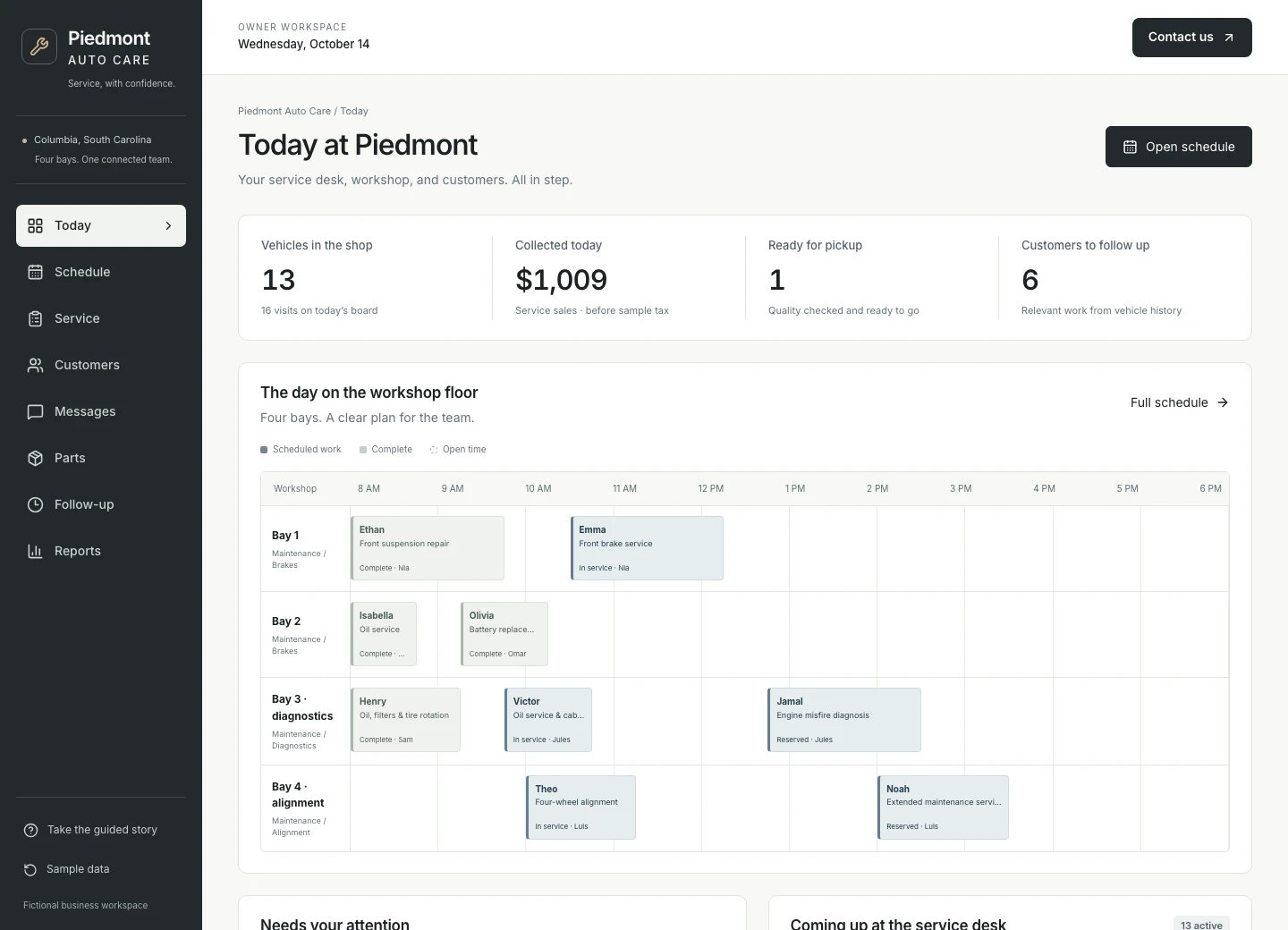
See the day’s service orders, money collected, and jobs needing a decision. Start with what needs attention instead of opening several systems.
Custom software for a better service day
Estimates, approvals, technicians, parts, and customer updates—together in a system built around your shop.
A working shop. Fictional customers. Your business’s possibilities.
One service order. Every next step connected.
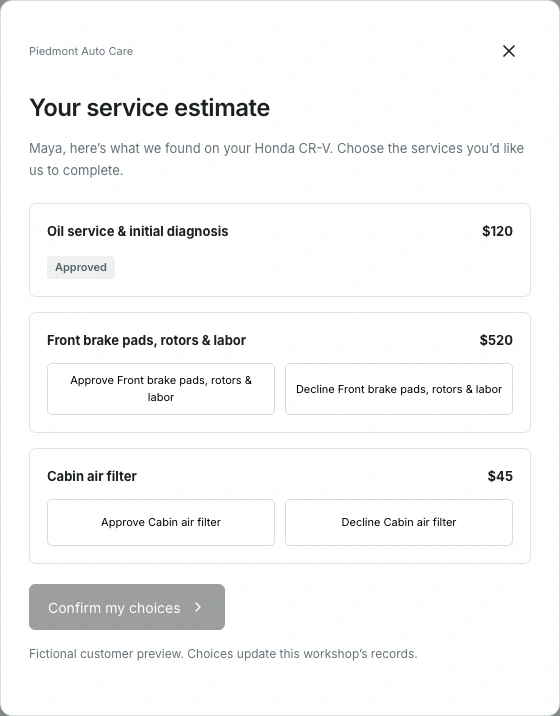
Maya’s car needs a $520 brake repair alongside a $120 oil service and diagnosis. Follow the job from inspection to checkout, and see how the team keeps another bay moving when the brake kit is delayed.
Review the inspection and itemized estimate. Give Maya a clear choice on the brake repair and optional filter.
Capture what she approves and what she defers. The technician sees the agreed work; follow-up keeps the rest in view.
Compare jobs that fit the available bay, technician, and time. Schedule Daniel’s $450 job and review Maya’s update.
Receive the correct brake kit, complete the repair, and record the road test and final check before pickup.
Record payment against the approved work. Keep deferred items attached to the customer for the next conversation.
Fictional walkthrough, not a client result. With the brake repair approved and filter deferred, Maya’s checkout is $678.40 including 6% sample tax. Daniel’s $450 job is scheduled value, not collected revenue.
The system behind the service
The value comes from what happens between screens: an approval changes the job, a parts delay informs the schedule, and completed work flows into checkout.
See the day’s service orders, money collected, and jobs needing a decision. Start with what needs attention instead of opening several systems.
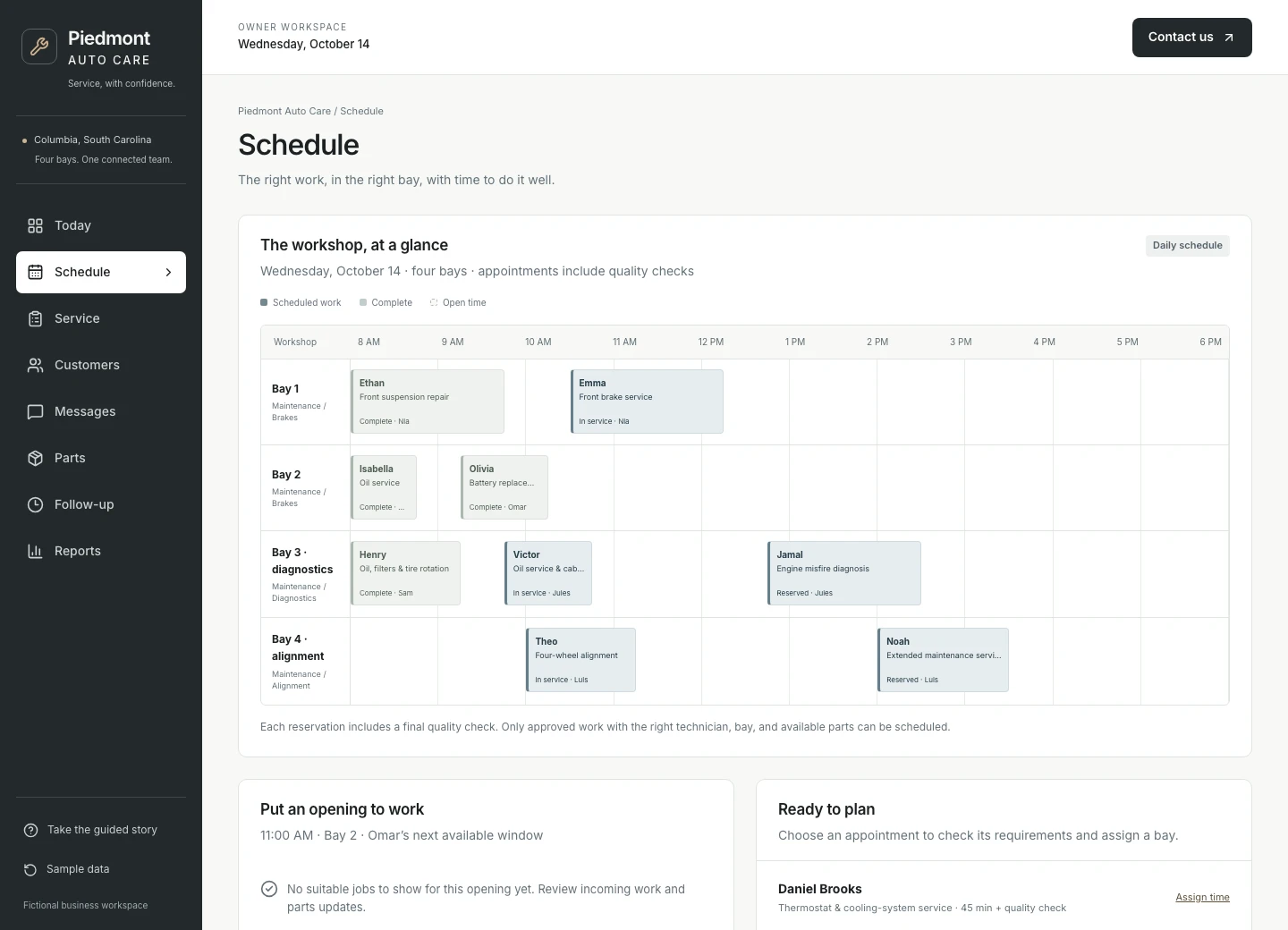
See bays, technicians, and job durations together. Fit work into a real opening without promising time the team does not have.
Move from inspection and estimate to customer approval, repair, quality checks, and checkout. Keep the agreed work clear at every handoff.
Keep vehicles, visit history, contact preferences, and deferred work together. Give the service advisor context before the next conversation.
Review and send an update with the job details at hand. Keep customer replies with the service record so the next person can pick up the conversation.
See what is in stock, what is on order, and which service order needs it. Receive the right item before moving the repair forward.
Keep deferred repairs and upcoming service needs visible. Review suitable customers and their contact permission before outreach.
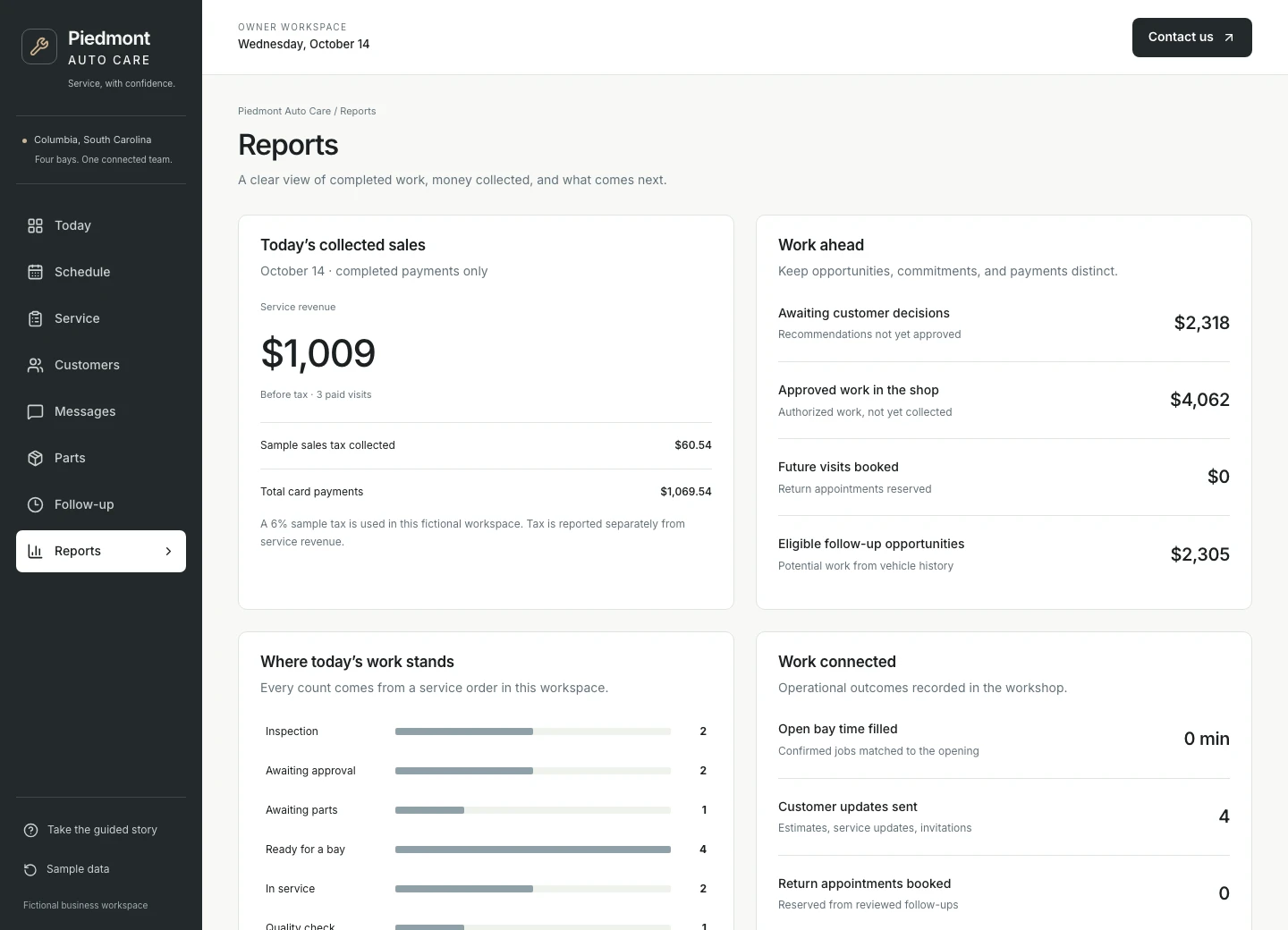
Separate proposed work, approved work, scheduled value, and money collected. See the service orders behind the numbers.
See the work getting done
For the customer and service advisor
Maya can see the recommended work and decide on each item. The shop can see exactly what to do now and what needs a later conversation.
For the service desk and technicians
Find a job that fits the available time, bay, and technician. Daniel’s job can take the opening while Maya’s repair waits for its part. Staff review the change and the customer update.
For the owner
An estimate is a proposal. An approved repair is work to complete. A booked job is future work. Reports keep those separate from the money actually received.
Built for the way you work
For established repair shops, quick-service locations, and dealership service departments, the important details differ: bay capacity, technician skills, approval rules, parts, and the experience customers expect.
We shape the system around your services, locations, team responsibilities, and reporting. We check what your existing shop management, parts, payment, and accounting software supports before agreeing what to connect or build.
Walk through a real service day. Find the delays, repeated admin, and missing information that cost your team time.
Build around your service rules and connect supported tools. Agree who reviews approvals, schedule changes, and customer messages.
Help the team use it comfortably. Review the workflow in practice and improve the steps that matter most.
Before you explore
No. It is a functioning example with fictional customers, vehicles, service orders, and payments. Prices and tax are sample data. The demo shows how the system works, not a claim about client results.
Often, yes. We start with what works and check what your providers allow us to connect. Shop management, parts, payment, and accounting connections are agreed as part of your custom implementation.
The demo follows one repair shop. Your build can reflect quick-service work, a larger independent shop, or a dealership service department, including your bays, technicians, locations, service rules, and reporting.
You go straight into the guided story, then can explore the full dashboard. No account or email verification is needed. We receive your details and may follow up about your interest. Access is remembered in this browser for 30 days.
Picture a better service day
Start with one brake repair. Then explore the connected system behind the whole day.